Quantcast
Channel: Android Mode - Processing 2.x and 3.x Forum
Viewing all 941 articles
Browse latest View live

Using Audiotrack() and running other processes..

$
0
0

Hi all. I am having fun using Processing for Android to program my SBC which is running Andoid 4.4. I have a project I am working on that involves playing some sine waves and using an accelerometer to change the frequency. The code I am using to produce the sinewaves is from a theremin project I found on the web and uses a runnable class to call the audiotrack object. The code is here:

`public class tonebox implements Runnable {

// If you change this, then you will have to adjust some of the // other cyclic factors as well, notably warble. Sample length // makes for more nimble tone changes. public int sampleLength = 64; // This is the frequency max. Most examples show 44100, but this // only invites static. We never climb above about 3000 so this // could even be set lower. public int freqRange = 11025;

// 1 to maxTones independent tones public int maxTones = 6; private int howl = 1; private boolean fuzz = false;

private double warbMag = 0.0; private double warbFreq = 0.0; // range in hertz, suggest 200 to 2500 private double freq = 0.0; private double volume = 0.0; private boolean go = true; private boolean finished = false;

AudioTrack Track;//= new AudioTrack(AudioManager.STREAM_MUSIC, // freqRange, AudioFormat.CHANNEL_CONFIGURATION_MONO, // AudioFormat.ENCODING_PCM_16BIT, sampleLength, // AudioTrack.MODE_STATIC);;

// magnitude of warble oscillation, suggest 0.0 to 50 public synchronized void warbleMagnitude(int wm) {

warbMag = (double) wm;

}

// suggest 0.0 to 0.15 public synchronized void warbleFrequency(double wf) {

warbFreq = wf;

}

public synchronized void frequency(int fr) {

freq = (double) fr;

}

// volume is 0.0 to 1.0 public synchronized void volume(double vol) {

volume = vol;

}

public void start(boolean g) {

go = g;

}

public synchronized void howl(int h) {

howl = h;

}

public void run() {

short samples[] = new short[sampleLength];
double freqBase[] = new double[maxTones];
int freqTrack[] = new int[maxTones];
int freqVector[] = new int[maxTones];
double angle[] = new double[maxTones];
double collectedAngle;
double computedWarble = 0;
int fuzzBase;

Random gen = new Random();

// set up audio Track and start it
int minSize = AudioTrack.getMinBufferSize(

freqRange, AudioFormat.CHANNEL_CONFIGURATION_MONO, AudioFormat.ENCODING_PCM_16BIT );

Track = new AudioTrack( AudioManager.STREAM_MUSIC, freqRange,

AudioFormat.CHANNEL_CONFIGURATION_MONO, AudioFormat.ENCODING_PCM_16BIT,
minSize, AudioTrack.MODE_STREAM);

Track.play();

// feed it samples
while (!finished) {


  if (go) {

    // compute the base sample frequency
    freqBase[0] = freq + warbMag * Math.sin(computedWarble);

    // append any additional harmonics
    for ( int i = 1; i < howl; i++) {

      freqVector[i] += gen.nextInt(3) - 1;
      if ( Math.abs(freqVector[i]) > 6 ) freqVector[i] = (int) (freqVector[i] / 2);
      freqTrack[i] += freqVector[i];
      if ( Math.abs(freqTrack[i]) > 100) freqVector[i] = -freqVector[i];
      freqBase[i] = freqBase[0] + freqTrack[i];
    }

    // fill sample
    for (int i = 0; i < sampleLength; i++ ) {

      collectedAngle = 0;

      // compute base tone and then append any additional
      for ( int j = 0; j < howl; j++) {

        // for fuzz, compute a parabolic random displacement
        if (fuzz) {

          fuzzBase = 0;
          for (int k = 0; k < 5; k++)

            fuzzBase += gen.nextInt(15);

          freqBase[j] += fuzzBase - 35;
        }

        angle[j] += 2 * Math.PI * freqBase[j] / freqRange;
        if (angle[j] > (2 * Math.PI))

          angle[j] -= (2 * Math.PI);


        collectedAngle += Math.sin(angle[j]);
      }

      samples[i] = (short) ((collectedAngle / howl) * Short.MAX_VALUE * volume);
    }

    // advance warble
    computedWarble += warbFreq;
    if (computedWarble > (2 * Math.PI)) {

      computedWarble -= (2 * Math.PI);
    }

    // shove the sample into the stream
    Track.write(samples, 0, sampleLength);

    go2=go;
  }
  else {

    // wait when stopped
    try {

      Thread.sleep(100);
    }
    catch (InterruptedException e) {

      e.printStackTrace();
    }
  }
}

} }`

It is easy to use. I set up frequency and volume in void setup() and call the run() method in void draw() It plays.

I also want to read some accelerometer values so have a function to call a bash script on my Android device. The code is here:

`void readaccel() { // what command to run String commandToRun = "mpu-6050-getbyte 3b"; // String commandToRun = "ls"; // String commandToRun = "wc -w sourcefile.extension"; // String commandToRun = "cp sourcefile.extension destinationfile.extension"; // String commandToRun = "./yourBashScript.sh";

File workingDir = new File("/system/bin/"); // where to do it - should be full path String returnedValues; // value to return any results

// give us some info:

// println("Running command: " + commandToRun); // println("Location: " + workingDir); // println("---------------------------------------------\n");

try {

// complicated!  basically, we have to load the exec command within Java's Runtime
// exec asks for 1. command to run, 2. null which essentially tells Processing to
// inherit the environment settings from the current setup (I am a bit confused on
// this so it seems best to leave it), and 3. location to work (full path is best)
Process p = Runtime.getRuntime().exec(commandToRun, null, workingDir);

// variable to check if we've received confirmation of the command
int i = p.waitFor();

// if we have an output, print to screen
if (i==0 ) {

  // BufferedReader used to get values back from the command
  BufferedReader stdInput = new BufferedReader(new InputStreamReader(p.getInputStream()));

  // read the output from the command
  while ( (returnedValues = stdInput.readLine ()) != null) {
    println(returnedValues);
    x=((returnedValues));
    // xcoord=Integer.parseInt(returnedValues,2);
  }
}

// if there are any error messages but we can still get an output, they print here
else {
  BufferedReader stdErr = new BufferedReader(new InputStreamReader(p.getErrorStream()));

  // if something is returned (ie: not null) print the result
  while ( (returnedValues = stdErr.readLine ()) != null) {
    println(returnedValues);
  }
}
// box.run();

}

// if there is an error, let us know catch (Exception e) { println("Error running command!");
println(e); } }`

It works fine but when I try to run both the audiotrack class and the accelerometer reader in draw(), audiotrack blocks the accelerometer process. I'm not up on threads but could someone please help me work out how to run both processes at the same time?

Thanks. Steve.S

p.s. i dont know why my code isn't being formatted properly. sorry.


Loading if txt is empty on android (FATAL EXCEPTION: Animation Thread error)

$
0
0

I've been trying to make a program that test whether it is the first time the program is launched. The idea is that upon launch, a 'setup' function is run that reads a .txt file located in the data folder, and if the .txt file is empty, it should write something into the .txt file(so that the next time the program is launched, the .txt file is no longer empty) and perform some function. (for testing i've set it up to draw a red circle) If there is something within the .txt file, (the program has been launched before) it should perform some other function (here i've set it up to draw a green circle)

The problem is, that while the testing for whether the folder empty, runs fine in java mode on a PC, and does what it is supposed to, it crashes and provides me with this error in android mode;

Udklip

Here is the setupcode:

void setup() {
  size(displayWidth,displayHeight);
  //size(200,200);
  orientation(PORTRAIT);
  gt(); //Checks if it is the first time the program is launched
}

And the main code:

//BufferedReader
BufferedReader reader;
String tjek;
//PrintWriter
PrintWriter foerstetjek;
int findgtjek=1;

void gt() {
  reader = createReader("findgangtjek.txt"); //Establishes a reader for the findgangtjek.txt file, which reads the data folder.
  //
  try {
    tjek = reader.readLine(); //reading the findgangtjek.txt doc
  } catch (IOException e) { //If findgangtjek.txt is empty
    tjek = null; //If the text file is empty the String 'tjek' is set as null
  }
  if (tjek == null) { //If the String 'tjek' is null (doc is empty, first time program is launched)
    //indicator in the form of a red circle
    fill(#F50A0A);
    ellipse(30,30,30,30);

    // // // // // // // // This is the part that probably doesn't work!
    foerstetjek = createWriter("data/findgangtjek.txt"); // creating a writer that writes to findgangtjek.txt within the data folder
    foerstetjek.println(findgtjek); // prints the value (1) of int variable 'findgtjek' into the txt file
    foerstetjek.flush(); //flushes PrintWriter
    //foerstetjek.close(); // doesn't seem to change much for me
         // // // // // // // //

  } else { //If there is something in the txt file (program has been launched before)
     fill(#0CEA23); //Green...
    ellipse(30,30,30,30); //...Indicator circle
  }
}

It is willing to show a green circle if there is something in the txt file, with the writer disabled, it is also able to show a red circle.

But with the writer still enabled and the '/' in foerstetjek = createWriter("data/findgangtjek.txt"); changed to a backslash ('\') it is willing to run the entire program without complaining, though it doesn't change the .txt file, and therefore doesn't amount to anything useful. I've tried giving permission to read from and write to external storage, writing the code into 'APDE', loading the program from the phonesstorage instead of from dropbox.

So the problem is that in the code shown above, it provides me with an (FATAL EXCEPTION: Animation Thread) error, while with the backslash 'fix' it doesn't write something into .txt, or writes it to somewhere it can't read it from next time the program is launched.

Any ideas on what is wrong, and what can be done to fix it? Thanks

This thread is similar to these: https://forum.processing.org/two/discussion/18766/saving-loading https://forum.processing.org/two/discussion/2643/get-the-error-fatal-exception-animation-thread-everytime-i-compile-my-app

Processing don't work on ANDROID

$
0
0

Hello, I followed this tutoriel to setup processing project on android studio http://android.processing.org/tutorials/android_studio/index.html All work fine the app is compiled and launcher but the draw() and setup() functions on my sketch are never called , and if use size(x, y, P2D) or size(x, y, P3D) instead of size(x, y) on settings() function the app crush, i use visual studio emulator for android if this is important, Compile target Level 23, and run on ANDROID 6 (23) emulato, So can someone explain me what is wrong ?

Using Bluetooth BLE for downloading orientation data

$
0
0

Are there libraries and/or examples for using Bluetooth BLE within the Processing Android mode? I did find a library in GitHub: "Bluetooth Low Energy for Processing Android" I couldn't see it in the Processing library list and before learning how to import and use it wondered if anyone else has tried it.

Thanks Peter

Saved image is empty

$
0
0

Hi,

I am drawing on a PGraphics and want to save the rendered image to the relevant pictures directory on the external storage. I have set the proper WRITE_EXTERNAL_STORAGE permission. I am using createGraphics() and later save() and everything seems to work fine, but the resulting image is an empty file (0.00 byte).

import android.os.Environment;

try {
  if (!Environment.MEDIA_MOUNTED.equals(Environment.getExternalStorageState())) {
    throw new Exception("External storage is not writable.");
  }

  File directory = new File(Environment.getExternalStoragePublicDirectory(Environment.DIRECTORY_PICTURES), "draw");
  if (!directory.exists() && !directory.mkdirs()) {
    throw new Exception("Directory could not be created.");
  }

  String filename = directory.getAbsolutePath() + File.separator + System.currentTimeMillis() + ".jpg";
  canvas.save(filename);

  println("Picture has been saved to: " + filename);
} catch (Exception e) {
  this.showDialog("Error", e.getMessage());
}

This code would print Picture has been saved to: /storage/emulated/0/Pictures/draw/1483309392341.jpg but the resulting image is an empty file.

Did I miss something?

Ketai library for gestures not working on android

$
0
0

Hello everyone,

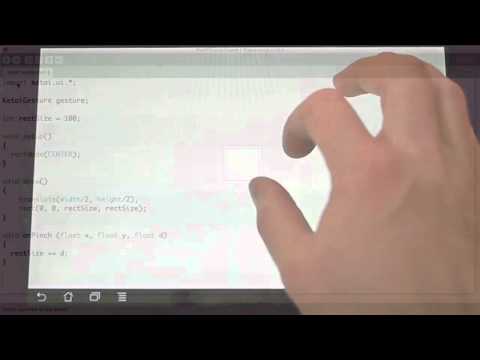
I'm pretty new to processing and I have started trying to learn to program simple games por android. I'm trying to use the ketai library to recognise gestures (flick, pinch and rotate). The code compiles and executes correctly but nothing seems to work on my phone. I am following this simple tutorial and using the exact same code he uses in this video:

image

Here's the code I'm using, extracted from the video. I also tried a fix proposed by a user in the comment section, with no luck:

import ketai.ui.*;
import android.view.MotionEvent;

KetaiGesture gesture;

int rectSize = 100;
float rectAngle;
float rectColor;

void setup(){
  rectMode(CENTER);
  gesture = new KetaiGesture(this);
}


void draw(){
  translate (width/2,height/2);
  rotate(rectAngle);
  fill(rectColor);
  rect(0,0,rectSize,rectSize);
}

void onPinch (float x, float y, float d){
  rectSize += d;
}

void onRotate  (float x, float y, float angle){
  rectAngle += angle;
}

void onFlick (float x, float y, float px, float py, float v){
  rectColor = color(random(255), random(255), random(255));
}

public boolean surfaceTouchEvent(MotionEvent event) {

  //call to keep mouseX, mouseY, etc updated
  super.surfaceTouchEvent(event);

  //forward event to class for processing
  return gesture.surfaceTouchEvent(event);
}

Does anyone know how to fix this, or any other gesture library that's easy to implement?

Thanks in advance!

Android Mode, [INSTALL_FAILED_INVALID] error

$
0
0

Hi,

I tried to program a Lenovo A806 smartphone in Android Mode, Processing 3.2.3. When IDE tried to install the sketch on the phone, I received the above error. I tried a lot of ways. Please, help me.

A good ady,

boofcv on android

$
0
0

Hello, i'm using Processing 3 and Boofcv.

1 - I've try to launch boofcv samples on my computer (Linux) and it works.

2 - I've try to launch processing samples on my android device and it works

3 - I've try to launch boofcv samples on my android device and it fails :(

With the DetectLines scketch, i've this error :

BUILD FAILED /home/desktop/sketchbook/modes/AndroidMode/sdk/tools/ant/build.xml:888: The following error occurred while executing this line: /home/desktop/sketchbook/modes/AndroidMode/sdk/tools/ant/build.xml:890: The following error occurred while executing this line: /home/desktop/sketchbook/modes/AndroidMode/sdk/tools/ant/build.xml:902: The following error occurred while executing this line: /home/desktop/sketchbook/modes/AndroidMode/sdk/tools/ant/build.xml:283: null returned: 2

Thanks for your help !


Recommended hardware for Android Processing

$
0
0

I was wondering if anyone has any tips on finding cheap hardware that will work well with Android for Processing, especially for running stable for longer periods of time.

I know not all hardware even works. In the past I have organized courses on creative coding where people got to take their visual creation home on a tablet (Q88 A10) which was framed like a painting. Not all tablets we tested allowed for side-loading or rooting for example.

So, which hardware are you happy with?

I am especially curious about low-end cheap Chinese hardware that is stable.

For example:

  • the Nexbox A95x is a cheap ($25-40) TV-box that's very popular, and has custom roms and can be rooted. But I don't know if it will work with Processing/Ketai. And you need a male-to-male USB cable to connect it to your pc, it doesn't have a micro-usb port.
  • The Teclast P80h tablet is about $70 and seems quite popular.
  • What about the Dualboot tablets like the Chuwi Hi8 or the Teclast X80 pro? If all else fails you can still run processing on Windows :-) They do tend to get hot though.
  • Maybe a refurbished former flagship phone, like a Nexus 5?

Personally I don't recommend the Nexus 7 tablets: they discharge faster than they can recharge, so running them in an exhibit or other installation is a bad idea.

Including Ads in Processing Sketch

$
0
0

Hi,

I was hoping to include ads in a small game I'm working on at the moment but I'm having some trouble getting it working. Unfortunately there doesn't seem to be much information online about getting ads working in a processing sketch for Android. I've exported my processing sketch and opened it in Android studio. I then followed the instructions on Google's new Firebase assistant for AdMob, but I'm getting errors when I try to run the app.

FATAL EXCEPTION: main
Process: processing.test.sketch_161212b, PID: 26425
java.lang.RuntimeException: Unable to start activity
  ComponentInfo{processing.test.sketch_161212b/processing.test.sketch_161212b.MainActivity}:
  android.content.res.Resources$NotFoundException:
  Unable to find resource ID #0x1000
    at android.app.ActivityThread.performLaunchActivity(ActivityThread.java:2450)
    at android.app.ActivityThread.handleLaunchActivity(ActivityThread.java:2520)
    at android.app.ActivityThread.-wrap11(ActivityThread.java)
    at android.app.ActivityThread$H.handleMessage(ActivityThread.java:1363)
    at android.os.Handler.dispatchMessage(Handler.java:102)
    at android.os.Looper.loop(Looper.java:148)
    at android.app.ActivityThread.main(ActivityThread.java:5470)
    at java.lang.reflect.Method.invoke(Native Method)
    at com.android.internal.os.ZygoteInit$MethodAndArgsCaller.run(ZygoteInit.java:726)
    at com.android.internal.os.ZygoteInit.main(ZygoteInit.java:616)
Caused by: android.content.res.Resources$NotFoundException: Unable to find resource ID #0x1000
    at android.content.res.Resources.getResourceName(Resources.java:2364)
    at android.app.FragmentManagerImpl.moveToState(FragmentManager.java:968)
    at android.app.FragmentManagerImpl.moveToState(FragmentManager.java:1148)
    at android.app.BackStackRecord.run(BackStackRecord.java:794)
    at android.app.FragmentManagerImpl.execPendingActions(FragmentManager.java:1535)
    at android.app.FragmentController.execPendingActions(FragmentController.java:325)
    at android.app.Activity.performStart(Activity.java:6267)
    at android.app.ActivityThread.performLaunchActivity(ActivityThread.java:2413)
    at android.app.ActivityThread.handleLaunchActivity(ActivityThread.java:2520) 
    at android.app.ActivityThread.-wrap11(ActivityThread.java) 
    at android.app.ActivityThread$H.handleMessage(ActivityThread.java:1363) 
    at android.os.Handler.dispatchMessage(Handler.java:102) 
    at android.os.Looper.loop(Looper.java:148) 
    at android.app.ActivityThread.main(ActivityThread.java:5470) 
    at java.lang.reflect.Method.invoke(Native Method) 

The game runs fine in Android studio without the ads. All I've done was followed the instructions provided in Android studio under Tools > Firebase > AdMob and edited the xml files and MainActivity as it tells you to do.

Any suggestions?

Android mode updates

$
0
0

Hello everyone,

A new bugfix release (3.0.2) of the Android mode is available through the Contributions Manager. The next release on the CM will bring big changes and improvements (among them, built-in support for live wallpapers, watch faces, and cardboard). You can give this new functionality a try right now by downloading the most recent beta package from here, and installing it manually.

Refer to the Processing for Android website for additional info and tutorials, and please report bugs in the issues section of the GitHub repository.

Thanks!

Andres

KetaiLocation: does onLocationEvent fire periodically or only once?

$
0
0

hello,

I'm fiddling around with KetaiLocation resp. the example that can be found at http://ketai.org/examples/geolocation/. In that example the onLocationEvent is used. I would have expected that event to fire every 10 seconds or if I moved more than one meter ("Updates if location changes by 1 meter, or every 10 seconds"). However, the println statement in onLocationEvent only prints once and never again. Is that the expected behavior or do have to call e.g. getLocation() explicitly in draw() to get periodic updates? Does anyone know?

Thanks, Stefan

android mode saveStrings()

$
0
0

How do I saveStrings() to an existing .txt file in the data folder in android mode?

How can I modify a HTTP header for reading a JSONObject?

$
0
0

I need to modify the HTTP header like this: Please modify your client to use a HTTP header named "X-Auth-Token" with the underneath personal token as value.

Your API token: XXXXXXXXXXXXXXXXXXXXXXXXXXXXXXX

this is my code:

String image = "";
String name = "";
String position = "";

void setup() {
  size(800, 860);
  textSize(20);
}

void draw() {
    getInfo();
      background(0);
      text(name,10,820);
      text(position,10,850);
    }
  }
}

void getInfo() {
try {
    JSONObject info = loadJSONObject("http:" + "//api.football-data.org/v1/teams/66/players");
    name = info.getString("name");
    position = info.getString("position");
  }
  catch (Exception e) {
    println("rats... " + e);
  }
}

Can someone please help me? (I'm new to processing)

How to use sound in android studio while using processing?


access 'Share' system default service within Processing IDE

$
0
0

Hello, I'm with working on a project on Procesing IDE, Android mode (it's not an app with GUI an everything, but rather an generative/interactive tech-art piece) and I wanted to know if anyone knows how (or if you can) access the 'Share' menu from the app running on the cel./tablet. Specifically I would like to take a PImage and be able to share it, with any of the possibilities that are enabled in the given device (mail, whatsapp, dropbox, etc.). Thank all you very much!

Save a XML file in Android

$
0
0

Hello,

I am trying to save some data on the phone, for when the user closes the app. I thought the best way to do this is via XML (correct me if I am wrong).

So it works fine in Java mode, but when I switch to android it doesn't.

XML xml = loadXML("database.xml");
    XML amount_tot_liter_xml = xml.getChild("amount_tot_liter");
    println(amount_tot_liter_xml.getFloatContent());

The database.xml is inside the data folder. I can read data from the file. But I can't save data:

    xml.removeChild(amount_tot_liter_xml);
    amount_tot_liter_xml = xml.addChild("amount_tot_liter");
    amount_tot_liter_xml.setFloatContent(amount_tot_liter);
    saveXML(xml, "data/database.xml");

How to make an object a fixed size across platforms?

$
0
0

First thing's first: I just started with Processing about 2 weeks ago, and Android mode a couple days ago, so anything you say should assume very little knowledge but the basics of Java mode. Okay, now. If I have a basic ball bouncing game ported from Java mode, different pixel densities cause the ball the be all different sizes from device to device, so how can I make the ball be a fixed size across multiple platforms?

Importing admob sdk into processing

$
0
0

I've been trying to get ads working on my processing app with multiple guides found on here, but I can't seem to get the library imported properly. I have the following imports in my sketch

import android.os.Bundle;
import android.view.Gravity;
import android.view.Window;
import android.widget.RelativeLayout;
import com.google.ads.*;

but I only get "The import com.google cannot be resolved". I've understood that I need to copy the needed library somewhere for processing to use, but haven't gotten any combination to work. I'm working on the processing environment, do I need to set up Eclipse for this?

So in short i just need to know where to find the right .jar and where to place it

Google play services ads and AndroidManifest.xml

$
0
0

Hi all!

I have managed to get the google play services lib included with your help, but when I run my app with the adview code, it crashes on startup. "Unfortunately, app has stopped." I think there is something missing in my AndroidManifest.xml file, but I do not know what it is and can't seem to find applicable posts online.

My AndroidManifest.xml is as follows:

<?xml version="1.0" encoding="UTF-8"?>
<manifest xmlns:android="http:// schemas.android.com/apk/res/android" android:versionCode="1" android:versionName="1.0" package="">
  <uses-sdk android:minSdkVersion="15" android:targetSdkVersion="25"/>
  <application android:debuggable="true" android:icon="@drawable/icon" android:label="">
    <activity android:name=".MainActivity">android:theme="@android:style/Theme.NoTitleBar"&gt;<intent-filter>
        <action android:name="android.intent.action.MAIN"/>
        <category android:name="android.intent.category.LAUNCHER"/>
      </intent-filter>
    </activity>
    <activity android:configChanges="keyboard|keyboardHidden|orientation|screenLayout|uiMode|screenSize|smallestScreenSize" android:name="com.google.android.gms.ads.AdActivity"/>
    <meta-data android:name="com.google.android.gms.version" android:value="8115000"/>
  </application>
  <uses-permission android:name="android.permission.ACCESS_NETWORK_STATE"/>
  <uses-permission android:name="android.permission.ACCESS_WIFI_STATE"/>
  <uses-permission android:name="android.permission.INTERNET"/>
</manifest>

and the code to load ads is

@ Override
public void onCreate(Bundle savedInstanceState) {
   super.onCreate(savedInstanceState);
   Window window = getActivity().getWindow();
   RelativeLayout adsLayout = new RelativeLayout(this.getActivity());
   RelativeLayout.LayoutParams lp2 = new RelativeLayout.LayoutParams(
          RelativeLayout.LayoutParams.WRAP_CONTENT, RelativeLayout.LayoutParams.FILL_PARENT);
   // Displays Ads at the bottom of your sketch, use Gravity.TOP to display them at the top
   adsLayout.setGravity(Gravity.BOTTOM);
   AdView adView = new AdView(this.getActivity());
   adView.setAdSize(AdSize.BANNER);
   adView.setAdUnitId("adunitid");
   adsLayout.addView(adView);
    AdRequest newAdReq = new AdRequest.Builder()

    .build();

    adView.loadAd(newAdReq);
    window.addContentView(adsLayout,lp2);
}

If I comment out the line adView.loadAd(newAdReq); the app works just fine

Viewing all 941 articles
Browse latest View live