Quantcast
Channel: Android Mode - Processing 2.x and 3.x Forum
Viewing all 941 articles
Browse latest View live

How to run video on android app

$
0
0

Im tryng to run a video in an android app without any succes.

First I´ve tryed the normal video library that comes with processing but the app just crashes.

Then I was tryng GSvideo library wich i´ve downloaded from this link : https://sourceforge.net/projects/gsvideo/?source=typ_redirect

but it seems that this library won´t work in my processing version. (i´ve run the loop example without succes).

Im using

processing 3.3.2 windows 10. Any ideas how to solve it?


Actual, real world applications & games using Processing

$
0
0

Hello

I am looking at what can be done in terms of actual, real world applications & games using Processing.

This includes both application coming out of the Processing Android IDE and application made with other IDE and using android-core.zip

I have the feeling that there is some kind of a glass door between the artist/designer world of Processing and the Android app / Game Developer world out there

I don't know if this is just a feeling or if it really exists and if yes, if this is based on technical limitations of Processing or on Cultural frontier between the 2 worlds.

And another thing: Can someone show me a Processing based **paid **app or game available on Google play ?

I'd love to have your thoughts on that, and Google play links are very welcome

Creating Native Android Menus in Processing Android Mode

$
0
0

Has anyone tried to get Native Android menus from within Processing Android Mode? It would be great to make apps that have the full android look and feel.

I'm not sure which folder the menu.xml file would go but I'm thinking about something like the code below:

import android.app.Activity;
import android.os.Bundle;
import android.view.Menu;
import android.view.MenuInflater;
import android.view.MenuItem;
//need to get menu.xml somehow

void setup()
{
orientation(LANDSCAPE);
}

public class MenuOptionsDemoProject extends Activity
{
/* Called when the activity is first created. /
@Override
public void onCreate(Bundle savedInstanceState)
{
super.onCreate(savedInstanceState);
//setContentView(R.layout.main);//commented out - not working
}

@Override
public boolean onCreateOptionsMenu(Menu menu)
{
//MenuInflater inflater = getMenuInflater();//commented out - not working
//inflater.inflate(R.menu.my_menu, menu);//commented out - not working
return true;
}
}
void draw()
{

}

How do I use the Processing Sound Library in Android Mode?

$
0
0

I'm having trouble using the Processing Sound Library. I know I am probably doing it wrong, but I don't know how to do it right. If I need another library, if I need different syntax, or whatever it is, I would like to know. The error comes in on line 12, but deleting line 12 moves it to the code that is currently on line 13. The error message I get (squiggly red line as opposed to console error) says "The type processing.core.PApplet cannot be resolved. It is indirectly referenced from required .class files." I would also like to know what files it is talking about. The relevant code is below.

import processing.sound.*;

PFont font;

SinOsc sine, sine2, sine3, sine4, sine5, sine6, sine7, sine8, sine9, sine10, sine11, sine12, bassTone, bassTone2;
Env env, env2, env3, env4, env5, env6, env7, env8, env9, env10, env11, env12, bassEnv, bassEnv2;


void setup()
{
  orientation(LANDSCAPE);
  sine = new SinOsc(this);
  sine2 = new SinOsc(this);
  sine3 = new SinOsc(this);
  sine4 = new SinOsc(this);
  sine5 = new SinOsc(this);
  sine6 = new SinOsc(this);
  sine7 = new SinOsc(this);
  sine8 = new SinOsc(this);
  sine9 = new SinOsc(this);
  sine10 = new SinOsc(this);
  sine11 = new SinOsc(this);
  sine12 = new SinOsc(this);
  bassTone = new SinOsc(this);
  bassTone2 = new SinOsc(this);
  env = new Env(this);
  env2 = new Env(this);
  env3 = new Env(this);
  env4 = new Env(this);
  env5 = new Env(this);
  env6 = new Env(this);
  env7 = new Env(this);
  env8 = new Env(this);
  env9 = new Env(this);
  env10 = new Env(this);
  env11 = new Env(this);
  env12 = new Env(this);
  bassEnv = new Env(this);
  bassEnv2 = new Env(this);
  font = createFont("Arial Bold", 30);
}

If there is anything that seems to be strewn into the code without purpose, it's because I tried to delete everything that I wasn't having an issue with. The PFont and orientation() were things I've been having an issue with (namely the class not existing and "LANDSCAPE" not being recognized), but my primary goal here is to get the sound working. There actually doesn't seem to be a problem with the play() function, surprisingly.

Emulator simply won't run.

$
0
0

Whenever I try and run an Android script in the emulator, the console pops up with the error: android.util.AndroidException: Can't connect to activity manager; is the system running? I've looked around and tried solutions, such as deleting the AVD processing created and creating a new one, manually starting up the emulator, updating the SDK, but so far nothing has worked. I am using Processing 3 on Windows 10 with the latest version of SDK.

Processing (Android mode) DB related solution is needed.

$
0
0

nice to meet you.

  1. We solved the processing (JAVA) and DB(MYSQL).

  2. However, the solution to processing (ANDROID) is difficult.  

  2-1) Is there any way?   2-2) How can I send a query?   2-3) Building an environment ... is necessary.

Please help me.

Problem using Ketai function savePhoto();

$
0
0

I'm making a timeLapse app for capturing photos with a 10 seconds interval, but everytime I use the savePhoto() function with a boolean the sketch crashes. Strangely, when I use the same code but with the savePhoto() inside a void mousePressed it works nicely. Here is the code and the error message below.

`/** *

Ketai Sensor Library for Android: http://KetaiProject.org

* *

<

p>Ketai Camera Features: *

    *
  • Interface for built-in camera
  • *
  • TODO: fix HACK of camera registration that currently exceptions in setup() at the moment.
  • *
  • Updated: 2012-10-21 Daniel Sauter/j.duran

*/

import ketai.camera.*;

KetaiCamera video;

Boolean shoot = false;

void setup() {

size(640, 480, P2D);

orientation(LANDSCAPE); video = new KetaiCamera(this, 640,480, 30);

println("camerasId" + video.list());

video.setCameraID(0);

video.setSaveDirectory("/storage/sdcard0/Movies/");

video.setPhotoSize(1280,720);

video.autoSettings();

}

void onCameraPreviewEvent() {

video.read();

}

void draw() {

video.start();

background(0);

if(second()%10 == 0) { shoot = true; }

if (shoot) { video.savePhoto("foto_teste.jpg");

}

}

void onSavePhotoEvent( String filename) {

video.addToMediaLibrary(filename); println("ok"); shoot = false;

}`

ERROR: Calculated camera parameters as (w,h,fps):640,480,30 Face detection supported! Using preview format: 17 Preview size: 640x480,30 Photo size: 1280x720 Calculated photo path: /storage/emulated/0/Pictures/storage/sdcard0/Movies/foto_teste.jpg Calculated photo path: /storage/emulated/0/Pictures/storage/sdcard0/Movies/foto_teste.jpg FATAL EXCEPTION: GLThread 4041 Process: processing.test.timelapse_v4_savphoto_debug, PID: 8494 java.lang.RuntimeException: takePicture failed at android.hardware.Camera.native_takePicture(Native Method) at android.hardware.Camera.takePicture(Camera.java:1266) at android.hardware.Camera.takePicture(Camera.java:1211) at ketai.camera.KetaiCamera.savePhoto(KetaiCamera.java:708) at processing.test.timelapse_v4_savphoto_debug.timeLapse_v4_savPhoto_DEBUG.draw(timeLapse_v4_savPhoto_DEBUG.java:79) at processing.core.PApplet.handleDraw(Unknown Source) at processing.opengl.PGLES$AndroidRenderer.onDrawFrame(Unknown Source) at android.opengl.GLSurfaceView$GLThread.guardedRun(GLSurfaceView.java:1523) at android.opengl.GLSurfaceView$GLThread.run(GLSurfaceView.java:1240)

Using bluetooth in Android mode?

$
0
0

Hi,

I was wondering whether it is possible to access the bluetooth capabilites of a device via Processing Android mode. So is it?


How to import google apis for android? - com.google.android

$
0
0

I want to use com.google.android.gms.vision libraries in processing. I have read in another thread that I have to install Extras/Google Play Services. I have already done that using the Android SDK Manager but I still get "The import com.google can not be resolved" error. My guess is this maybe a path related problem as I am getting this error for any import of com.google library. Hope someone can point me to a resource or guide on how to use this library in processing.

I am on Processing 3.2.4 on a mac and using Android API 7.1.1(25).

Canvas size does not fill Android Emulator screen

$
0
0

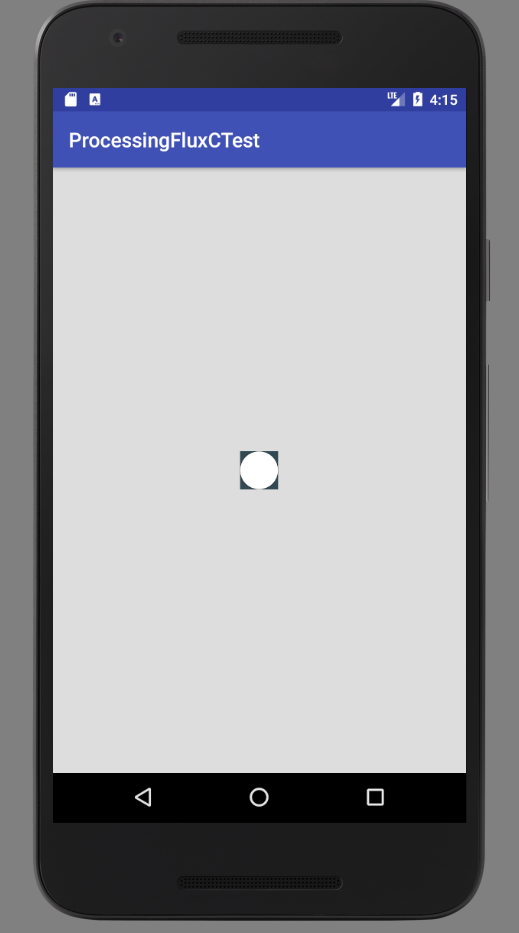
I'm using Android Studio and am aware that the size() method doesn't work, so I tried removing it altogether, but my canvas is super small within the emulator. Anyone know how to force it to be fullscreen?

public class Sketch extends PApplet {

    public void setup() {
        background(52,74,85);
        noLoop();
    }

    public void draw() {
        ellipse(width/2, height/2, 100, 100);
    }
}

IMAGE:

Detect when app is put in the background

$
0
0

When I open another random app while mine is running in the background weird things happen for instance rectMode randomly changes to anything but rectMode(CENTER); (which is what I actually want). At first I thought that perhaps somewhere in the code I call rectMode(CORNER); for instance and then I switch apps at which point the code cuts of and returns to the start of draw with rectMode set to left corner and that's why every rect goes haywire but this can't be the case since In my code I only call rectMode once and that is in the setup like this rectMode(CENTER); so I don't see why this happens

I thought I could just easily detect when my app has been put in the background and close it or something or just reset the "settings" like rectMode when the app was called out of the background. But this turns out to be harder than I thought so I was hoping someone could tell me how to detect when the app has been moved to the background or a way to stop it from glitching when in the background

Android app widget for home screen

$
0
0

Hello,

I'm trying to find some informations about creating an Android app widget for the homescreen. Does someone have a hint for me, how to set this up?

VR menu Options not available

$
0
0

My process of Installation.

Download Processing 3.3.4-Windows64 Extract to a folder within User Directory I did not AutoDownload the SDK, I had an SDK forder and specified directory.
SDK is outside of User Directory but still within access. Added Android Mode 3.0.2 Update/Install Several packages in Android SDK package manager Tested that an app can be made in processing and tested on phone using Getting Started. http://android.processing.org/tutorials/getting_started/index.html Downloaded AndroidMode4.0 beta3 https://github.com/processing/processing-android/releases/tag/android-262 Moved AndroidMode to modes of the processing directory after extracting Android-262. Before Copy, only Java folder was available in the Modes directory. Closed Processing, and opened again.

In android mode, on the Androids tab, everything that should be there, except for the app, wallpaper, watch face and Cardboard/VR.

I do not know what I am missing to get the VR option available in the menu. Any help is appreciated.

Share game link ??

$
0
0

İ have a button and i want that button share my game link on whatsap, Facebook or another app. How can i do that ?

port Processing for Android app to iOS?

$
0
0

Any suggestions on porting my existing Processing for Android app/code to iOS native Objective C?

There's j2ObjC tool from google (https://code.google.com/p/j2objc/), anyone had experience with this?

Any expert opinions will be greatly appreciated!


How do I get mouseClicked () ?

$
0
0

Hello guys, when I put on an Android device a code with the function mouseClicked (), it not get me any mouseClicked event, simply it not respond to it.

mousePressed () and mouseReleased () are recognized but I need mouseClicked () in the specific, can someone help me?

Thanks.

latto

How to implement Facebook Login API (ex. Facebook4j) into Processing 3.X Android APP

$
0
0

I'm currently developing an app that needs some sort of login, so I decided to use the Facebook API. The thing is I usually code games and I have no idea on how to implement the Facebook Login API to my actual code. Unfortunately, most of the discussions I see online use android studio, web apps, etc. not on Processing. Thank you so much for the help. (I just need a little push to get this going).

Processing and Virtual Reality Headset

$
0
0

Hi everybody,

I'm currently working on a design project which represent a virtual world. My processing is a land with a camera in movement, giving the impression of surfing. I would like to make it in virtual reality, how I can do virtual reality with a processing ? Is it easy ? How it works ?

Many thanks !!

Here screen shots :

Capture d’écran 2017-06-15 à 14.57.59

. Capture d’écran 2017-06-15 à 14.58.05

Here my code :

/**
 Terrain
 Demonstrating the Shapes3D library.

 Click and drag mouse to change direction

 W or P  = faster
 S or L  = slower

 Click on artefacts to change color/texture

 created by Peter Lager
 */

import shapes3d.utils.*;
import shapes3d.animation.*;
import shapes3d.*;

Terrain terrain;
Box skybox;
Box[] droids;
Tube tube;
Ellipsoid obelisk;

PVector[] droidDirs;
int nbrDroids;

TerrainCam cam;
int camHoversAt = 8;

float terrainSize = 1000;
float horizon = 400;

long time;
float camSpeed;
int count;
boolean clicked;

// List of image files for texture
String[] textures = new String[] {
  "grid01.png", "dada.png", "rouge.jpg",
  "globe.jpg", "avast.png"
};

void setup() {
  size(1300, 900, P3D);
  cursor(CROSS);

  terrain = new Terrain(this, 60, terrainSize, horizon);
  terrain.usePerlinNoiseMap(0, 40, 0.15f, 0.15f);
  terrain.setTexture("grid01.png", 4);
  terrain.tag = "Ground";
  terrain.tagNo = -1;
  terrain.drawMode(S3D.TEXTURE);

/**
  skybox = new Box(this, 0, 0, 500);
  skybox.setSize(100, 100, 1);
  skybox.setTexture("dada.png", Box.FRONT);
  //skybox.setTexture("Black.png", Box.BACK);
  //skybox.setTexture("Black.png", Box.LEFT);
  //skybox.setTexture("Black.png", Box.RIGHT);
  //skybox.setTexture("Black.png", Box.TOP);
  //skybox.visible(true, Box.BOTTOM);
  skybox.drawMode(S3D.TEXTURE);
  skybox.tag = "Skybox";
  skybox.tagNo = -1;
  */

  nbrDroids = 4;
  droids = new Box[nbrDroids];
  droidDirs = new PVector[nbrDroids];
  for (int i = 0; i < nbrDroids; i++) {
    droids[i] = new Box(this, 10);
    droids[i].setSize(10, 10, 1);
    droids[i].moveTo(getRandomPosOnTerrain(terrain, terrainSize, 50));
    droids[i].tagNo = i;
      droids[i].tag = "cheval " + i;

    //droids[i].fill(color(random(128, 255), random(128, 255), random(128, 255)));
    //droids[i].drawMode(S3D.SOLID);

    // Rajoute une texture cheval et annule la couleur
    droids[i].setTexture(textures[1]);
    droids[i].drawMode(S3D.TEXTURE);

    droidDirs[i] = getRandomVelocity(random(15, 25));
    terrain.addShape(droids[i]);
  }

  // 1 obélisque avec texture cheval
  obelisk = new Ellipsoid(this, 4, 20);
  obelisk.setRadius(5, 30, 5);
  obelisk.moveTo(getRandomPosOnTerrain(terrain, terrainSize, 28));
  obelisk.fill(color(0, 255, 0));
  obelisk.tag = "dada";
  obelisk.tagNo = 99999;
  obelisk.setTexture(textures[4]);
  obelisk.drawMode(S3D.TEXTURE);
  terrain.addShape(obelisk);

  // 1 tube aux fonds rouge et vert et au corps en texture cheval
  tube = new Tube(this, 10, 30);
  tube.setSize(3, 10, 6, 6, 20);
  tube.moveTo(getRandomPosOnTerrain(terrain, terrainSize, 15.5));
  tube.tagNo = 0;
  tube.setTexture(textures[1]);
  tube.drawMode(S3D.TEXTURE);
  tube.fill(color(255, 0, 0), Tube.S_CAP);
  tube.fill(color(0, 255, 0), Tube.E_CAP);
  tube.drawMode(S3D.SOLID, Tube.BOTH_CAP);

  camSpeed = 10;
  cam = new TerrainCam(this);
  cam.adjustToTerrain(terrain, Terrain.WRAP, camHoversAt);
  cam.camera();
  cam.speed(camSpeed);
  cam.forward.set(cam.lookDir());

  // Tell the terrain what camera to use
  terrain.cam = cam;

  time = millis();
}

void draw() {
  background(35);
  // Get elapsed time
  long t = millis() - time;
  time = millis();

  // Update shapes on terrain
  update(t/1000.0);

  // Update camera speed and direction
  if (mousePressed)
    processMousePressed();
  if (keyPressed)
    processKeyPressed(t);
    // Clicked on artefact?
  if (clicked)
    processMouseClick();

  // Calculate amount of movement based on velocity and time
  cam.move(t/1000.0);
  // Adjust the cameras position so we are over the terrain
  // at the given height.
  cam.adjustToTerrain(terrain, Terrain.WRAP, camHoversAt);
  // Set the camera view before drawing
  cam.camera();

  //obelisk.draw();
  //tube.draw();
  terrain.draw();

  // Get rid of directional lights so skybox is evenly lit.
  //skybox.moveTo(cam.eye().x, 0, cam.eye().z);
  //skybox.draw();
}

void processMousePressed() {
  float achange = (mouseX - pmouseX) * PI / width;
  // Keep view and move directions the same
  cam.rotateViewBy(achange);
  cam.turnBy(achange);
}

void processKeyPressed(long t) {
  if (key == 'W' || key =='w' || key == 'P' || key == 'p') {
    camSpeed += (t/100.0);
    cam.speed(camSpeed);
  } else if (key == 'S' || key =='s' || key == 'L' || key == 'l') {
    camSpeed -= (t/100.0);
    cam.speed(camSpeed);
  } else if (key == ' ') {
    camSpeed = 0;
    cam.speed(camSpeed);
  }
}


void processMouseClick() {
  clicked = false; // reset
  Shape3D selected = Shape3D.pickShape(this, mouseX, mouseY);
  println("hello" + selected);
  if (selected != null) {

     camSpeed = 0;
    cam.speed(camSpeed);


    if (selected.tagNo > textures.length)
      selected .fill(color(random(128, 255), random(128, 255), random(128, 255)));
    else if (selected.tagNo >= 0) {
      selected.tagNo = (selected.tagNo + 1) % textures.length;
      selected.setTexture(textures[selected.tagNo]);
    }
  }
}


/**
 * Update artefacts and seekers
 */
public void update(float time) {
  PVector np;
  obelisk.rotateBy(0, time*radians(16.9f), 0);
  tube.rotateBy(time*radians(25.6f), time*radians(6.871f), time*radians(17.3179f));
  for (int i = 0; i < nbrDroids; i++) {
    np = PVector.add(droids[i].getPosVec(), PVector.mult(droidDirs[i], time));
    droids[i].moveTo(np);
    droids[i].adjustToTerrain(terrain, Terrain.WRAP, 15);
  }
}

/**
 * Get a random position on the terrain avoiding the edges
 * @param t the terrain
 * @param tsize the size of the terrain
 * @param height height above terrain
 * @return
 */
public PVector getRandomPosOnTerrain(Terrain t, float tsize, float height) {
  PVector p = new PVector(random(-tsize/2.1f, tsize/2.1f), 0, random(-tsize/2.1f, tsize/2.1f));
  p.y = t.getHeight(p.x, p.z) - height;
  return p;
}

/**
 * Get random direction for seekers.
 * @param speed
 */
public PVector getRandomVelocity(float speed) {
  PVector v = new PVector(random(-10000, 10000), 0, random(-10000, 10000));
  v.normalize();
  v.mult(speed);
  return v;
}

/**
 * next texture or change color
 */
public void mouseClicked() {
  clicked = true;
}
Problems with SDK

$
0
0

At any attempt to run Android Mode a question about the SDK appears. Trying to load it automatically (somewhat) fails - it stops at 306MB out of 1GB and quits with an error. Some stuff gets installed in Documents\Processing3\modes\AndroidMode\sdk, but trying to point the path manually also fails. Trying to change android.sdk.path in preferences fails as well, in fact the line gets removed each time Processing with Android Mode is started.

I am out of ideas...

MultiTouch is multi tough! Need some help...

$
0
0

I have been messing with this for a few days now, and I have something that is working very close to what I want. I know the code could be structured better, but I am just trying to get the hang of the Multi touch workflow. If you run the sketch you will see that you can use as many fingers as you want and drag out multiple lines... that part works fine... I THOUGHT that would be the hard part of this. If you look at the code you will see 2 commented out sections, this is what adds the balls to the sketch. For some reason this part of the code is causing the sketch to crash randomly. It may work for a little while, but after repeated fast shots it will eventually crash (and I need it to be solid). I am testing this on a galaxy s7... if anyone could take a look at the code and test it that would be great. I cant figure out what is making it crash... its made my head hurt for the past 2 days.

 import android.view.MotionEvent;
HashMap<Integer, Line> lh;
ArrayList<Ball> balls;
void setup() {
  fullScreen(P2D);
  lh = new HashMap<Integer, Line>(10);
  balls = new ArrayList<Ball>() ;
}
void draw() {
  background(255);
  for (int i = 0; i <lh.size(); i++) {
    Line l = lh.get(i);
    if ( l != null) {
      l.show();
    }
  }
  for (int i = balls.size()-1; i>=0; i--) {
    Ball tempb = balls.get(i);
    if (tempb.pos.x > width || tempb.pos.x <0 ||  tempb.pos.y  > height || tempb.pos.y< 0) {
      balls.remove(i);
    }
  }
  for (Ball b : balls) {
    b.show();
  }
}
public boolean surfaceTouchEvent(MotionEvent ev) {
  int maskedAction = ev.getActionMasked();
  switch (maskedAction) {
  case MotionEvent.ACTION_DOWN:
    {
      Line templ = new Line((int)ev.getX(), (int)ev.getY());
      lh.put(ev.getPointerId(0), templ);
      break;
    }
  case MotionEvent.ACTION_POINTER_DOWN:
    {
      int pointerIndex =   ev.getActionIndex();
      int pointerId = ev.getPointerId(pointerIndex);
      Line templ = new Line((int)ev.getX(pointerIndex), (int)ev.getY(pointerIndex));
      lh.put(pointerId, templ);
      break;
    }
  case MotionEvent.ACTION_MOVE:
    {
      for ( int i = 0; i < ev.getPointerCount(); i ++) {
        int id = ev.getPointerId(i);
        Line templ = lh.get(id);
        if (templ!=null) {
          templ.mx = (int)ev.getX(i);
          templ.my = (int)ev.getY(i);
        }
      }
      break;
    }
  case MotionEvent.ACTION_UP:
    {
      int pointerIndex = ev.getActionIndex();
      int j = ev.getPointerId(pointerIndex);
      //Line l = lh.get(j);
      //PVector p = new PVector(ev.getX(pointerIndex), ev.getY(pointerIndex));
      //PVector op = new PVector (l.sx, l.sy);
      //PVector v = PVector.sub(op, p);
      //v.normalize();
      //v.setMag(20);
      //balls.add(new Ball(p, v));
      lh.put(j, null);
      break;
    }
  case MotionEvent.ACTION_POINTER_UP:
    {
      int pointerIndex = ev.getActionIndex();
      int j = ev.getPointerId(pointerIndex);
      //Line l = lh.get(j);
      //PVector p = new PVector(ev.getX(pointerIndex), ev.getY(pointerIndex));
      //PVector op = new PVector (l.sx, l.sy);
      //PVector v = PVector.sub(op, p);
      //v.normalize();
      //v.setMag(20);
      //balls.add(new Ball(p, v));
      lh.put(j, null);
      break;
    }
  }
  return super.surfaceTouchEvent(ev);
}
class Ball {
  PVector pos;
  PVector vel;
  Ball(PVector _pos, PVector _vel) {
    pos = _pos.get();
    vel = _vel.get();
  }
  void show () {
    fill(20);
    noStroke();
    pos.add(vel);
    ellipse(pos.x, pos.y, 50, 50);
  }
}
class Line {
  int sx, sy, mx, my;
  Line(int _x, int _y) {
    sx=_x;
    sy=_y;
    mx=_x;
    my=_y;
  }
  void show( ) {
    stroke(0);
    strokeWeight(10);
    line( sx, sy, mx, my);
  }
}
Viewing all 941 articles
Browse latest View live